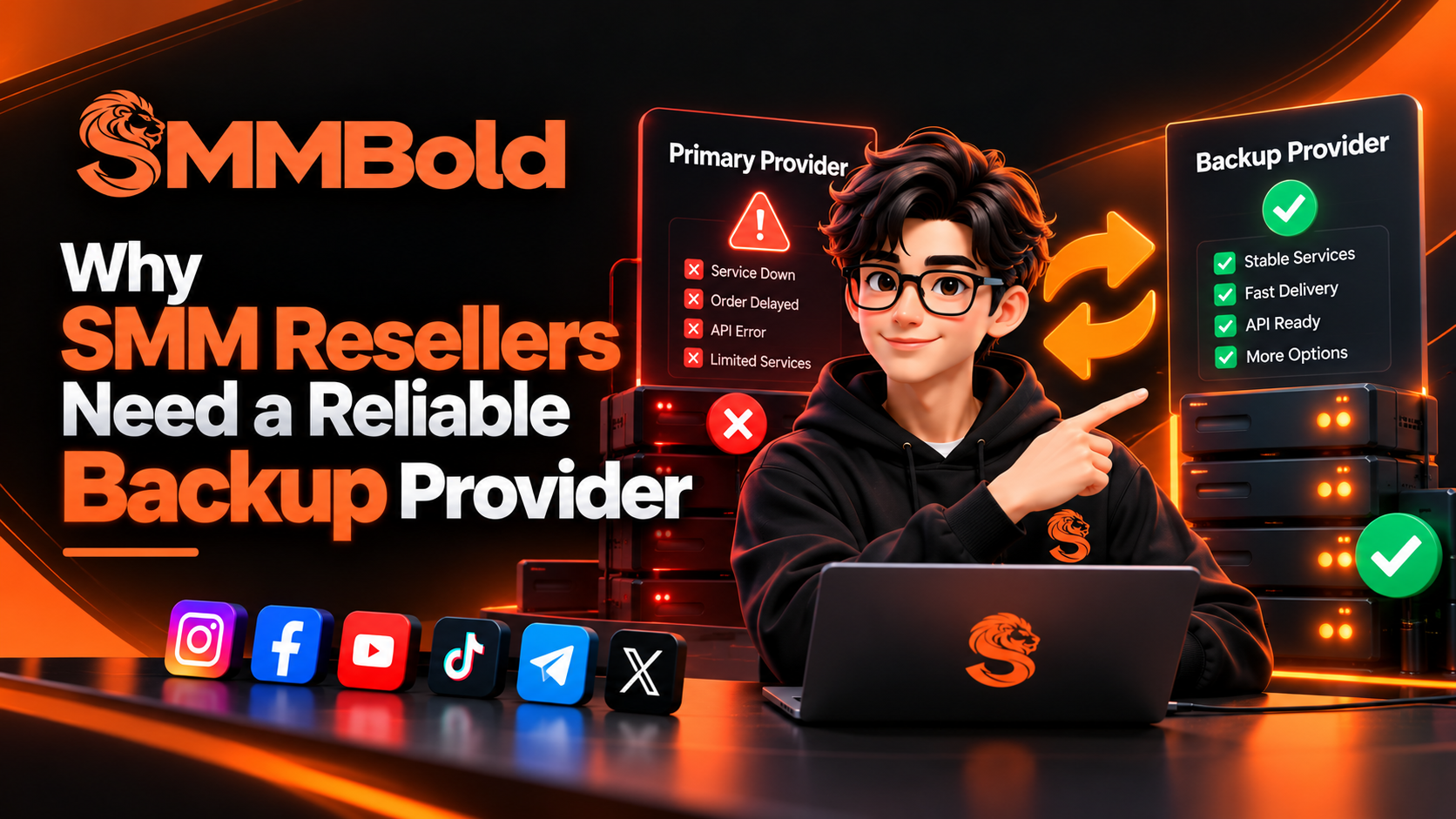
Why SMM Resellers Need a Reliable Backup Provider
Running a successful social media marketing (SMM) reseller business requires more than competitive prices and a large catalog of services. Resellers also need dependable suppliers, consistent order management, clear communication, and a plan for unexpected disruptions. Even an established provider can experience maintenance, technical issues, service interruptions, capacity limitations, or changes in availability.
This is why having a reliable backup SMM provider is an important consideration for resellers who want to build a sustainable business. A carefully selected alternative can provide another sourcing option when a primary supplier cannot deliver a particular service as expected. It can also help resellers manage operational risks, maintain service availability where possible, and respond to customers more effectively.
In this guide, we explain why SMM resellers need a backup provider, how to evaluate alternative suppliers, when to consider switching, and how to manage multiple providers without creating unnecessary costs or order complications.
What Is a Backup SMM Provider?
A backup SMM provider is an alternative supplier that a reseller can use when their primary provider experiences an outage, discontinues a service, changes its terms, or no longer meets the reseller's operational requirements.
For example, an SMM reseller may normally source a particular social media marketing service from one provider. If that service becomes unavailable, the reseller can evaluate another supplier that offers a compatible alternative with suitable pricing, service conditions, and availability.
A backup provider does not necessarily replace the primary provider. In many cases, the practical approach is to continue using the primary supplier during normal operations while maintaining a tested alternative for important services.
Primary Provider vs. Backup Provider
The primary provider is the supplier responsible for your regular service fulfillment. You may prefer it because of its pricing, service catalog, API functionality, support, or previous performance.
The backup provider is an alternative that gives your business additional flexibility. You can use it when the primary option is unavailable or unsuitable, provided the alternative has been evaluated and is appropriate for the affected service.
The objective is not to duplicate every service automatically. Instead, identify the services most important to your customers and establish practical alternatives where possible.
Why SMM Resellers Should Not Depend on One Provider
Depending entirely on one supplier creates concentration risk. Even if a provider performs well under normal conditions, events outside your control can affect its service availability, pricing, technical systems, or operational capacity.
When there is no alternative, a provider-level problem can quickly become a customer-facing problem. New orders may be delayed, important services may become unavailable, and support teams may have difficulty providing clear answers.
1. Unexpected Service Downtime
Providers can experience server problems, network interruptions, maintenance periods, capacity constraints, or temporary issues affecting individual services. During these periods, new orders may not be accepted or existing orders may take longer than expected.
Without a backup option, a reseller may need to pause sales, explain the disruption to customers, or wait for the original provider to restore service. A verified alternative can provide another option when the affected service is compatible and currently available.
2. Changes in Service Availability
A provider may add, modify, suspend, or discontinue services. It may also change minimum quantities, maximum quantities, delivery estimates, refill conditions, cancellation rules, or other service terms.
When a service is discontinued or no longer meets your requirements, a backup provider may help you maintain an alternative offering without redesigning your entire service catalog.
However, services with similar names are not necessarily equivalent. Always compare service specifications, supported targets, quantity requirements, delivery conditions, and applicable policies before making a replacement.
3. API Errors and Integration Problems
Resellers using API automation may encounter authentication errors, request timeouts, rate limits, unexpected response formats, or unavailable endpoints. These issues can interrupt automated order processing and complicate status synchronization.
A second provider may provide an alternative route when the primary provider is confirmed to be responsible for the disruption. However, switching suppliers will not fix a problem caused by your own website, application code, database, network, or configuration.
Developers should first diagnose the issue, determine whether an order was successfully submitted, and check the provider's documented error-handling procedures. This reduces the risk of duplicate orders during a technical incident.
4. Pricing and Profit Margin Changes
Supplier prices can change over time. If your own selling prices remain unchanged while provider costs increase, your profit margin may decline.
A backup supplier gives you another option to evaluate when reviewing service costs. Compare the full operating cost rather than selecting a provider based only on the lowest advertised rate.
Consider payment fees, minimum deposits, transaction charges, service conditions, potential failed orders, and the time required to resolve problems. These factors can influence the actual cost of operating your reseller business.
5. Account and Operational Risks
Payment issues, account restrictions, provider-side policy changes, and regional availability problems can affect a supplier's ability to fulfill orders. These events may be temporary or may require a longer-term change in your sourcing strategy.
Maintaining an alternative supplier can improve your ability to respond. It does not eliminate risk, but it reduces the extent to which your business depends on one provider's circumstances.
How a Backup Provider Helps Protect Customer Trust
Customers generally judge an SMM reseller by the experience they receive, not by the identity of the upstream supplier. When orders are delayed, services become unavailable, or support responses are unclear, customers may lose confidence in the reseller.
More Consistent Customer Communication
A documented contingency plan helps your support team explain what happened, which orders are affected, and what actions are being taken. Instead of giving uncertain promises, you can communicate based on verified information.
A backup provider may help restore service availability for new orders, but you should never promise a specific result or completion time unless it has been confirmed.
Fewer Avoidable Sales Interruptions
If an important service becomes unavailable, a suitable alternative supplier may allow you to continue accepting orders. Before offering the alternative, verify its current availability, service conditions, pricing, and compatibility with your customers' requirements.
Better Customer Retention
Reliable communication and responsible problem-solving can help preserve customer relationships. A backup provider supports this process, but it should be combined with accurate service descriptions, realistic delivery estimates, responsive support, and clear refund or cancellation policies.
When Should You Use a Backup SMM Provider?
Having a backup supplier does not mean you should switch providers every time an order takes longer than expected. Unnecessary switching can create duplicate orders, inconsistent service conditions, additional costs, and customer confusion.
Instead, establish clear conditions that trigger a provider review or contingency procedure.
Repeated and Verified Service Problems
If a particular service repeatedly fails to start, remains stuck, or produces inconsistent outcomes, investigate the pattern. Review order identifiers, timestamps, service terms, provider responses, and support feedback before deciding whether to route future orders elsewhere.
Confirmed Provider Outages
If the provider confirms an outage, or reliable technical evidence shows that a specific endpoint or service is unavailable, consider using a tested alternative for new orders.
Keep a record of the incident and confirm when the primary service becomes available again. This helps you make a controlled decision about returning to normal operations.
Unacceptable Changes to Service Terms
If a provider changes its pricing, refill conditions, quantity limits, cancellation policy, or other important terms, evaluate whether the service still meets your business requirements.
A backup provider can give you another option while you compare the updated terms and assess the impact on customers and profitability.
Capacity and Availability Limitations
Some services may have limited capacity or become temporarily unavailable during periods of higher demand. An alternative supplier can provide flexibility, but its actual capacity must be checked rather than assumed.
How to Choose a Reliable Backup SMM Provider
The best backup SMM provider is not necessarily the cheapest supplier. It is the provider that can meet your business requirements when an alternative is needed. Evaluate potential suppliers using consistent criteria and document your findings.
1. Check Service Compatibility
Compare service types, target platform requirements, supported links, quantity limits, refill conditions, cancellation options, and other relevant parameters. Similar service names do not guarantee equivalent functionality or outcomes.
Document which alternative service corresponds to each important service in your existing catalog. If there is no suitable equivalent, record that limitation instead of treating an unrelated service as a replacement.
2. Evaluate Reliability and Transparency
Look for clear service descriptions, realistic delivery estimates, accessible support, and transparent terms. Where possible, review your own results from small, controlled tests rather than relying entirely on promotional claims.
Keep records of availability checks, order outcomes, reported issues, and relevant provider communications. Historical records make it easier to compare suppliers over time.
3. Review API Documentation
If you automate orders, examine the provider's API documentation. Check authentication methods, available endpoints, required parameters, response formats, rate limits, error codes, and order status operations.
Test the integration in a controlled environment before relying on it during a disruption. Confirm that your application can handle errors without accidentally resubmitting orders whose original status is unknown.
4. Compare Total Operating Costs
Calculate the full cost of using a supplier, including service rates, deposit requirements, transaction fees, currency conversion, failed-order handling, and administrative effort.
A provider with a slightly higher listed rate may be more practical if it offers suitable service conditions and reduces the operational effort required to manage orders. Make the decision using your own documented results rather than assumptions.
5. Test Customer Support
Before relying on a backup provider, ask relevant questions about service specifications, order status, technical errors, and account requirements. Evaluate whether the answers are clear, useful, and consistent with the published documentation.
Understand how to report failed orders, request status updates, and resolve billing discrepancies. A clear support process can make incident management easier.
6. Check Payment and Account Requirements
Review accepted payment methods, minimum deposits, account requirements, transaction charges, refund rules, and any applicable withdrawal conditions.
Avoid committing more funds than you can reasonably justify before evaluating the supplier. The goal is to establish a usable alternative without creating unnecessary financial exposure.
7. Consider Compliance and Platform Policies
Review whether the services you intend to offer comply with applicable laws, contractual obligations, and the relevant social media platforms' rules. The availability of a service from a supplier does not automatically mean it is permitted or risk-free.
How to Build a Practical Backup Provider Strategy
A useful backup provider strategy is documented, tested, and reviewed before a disruption occurs. Waiting until a supplier experiences an outage can lead to rushed decisions and avoidable mistakes.
Step 1: Identify Your Critical Services
Review sales history, customer demand, service categories, and operational requirements. Identify which services are most important to your business and which interruptions would create the greatest customer impact.
You do not need an alternative for every service immediately. Start with the services that matter most, then expand your coverage as your business grows.
Step 2: Map Each Critical Service to an Alternative
Create a service mapping sheet that records your internal service ID, primary provider, primary provider service ID, backup provider, backup service ID, price, quantity limits, refill conditions, and last verification date.
Clearly mark services that do not have a verified alternative. This helps your team understand where coverage exists and where additional research is required.
Step 3: Test Before an Emergency
Use small, controlled test orders where permitted and appropriate. Check whether the target format is accepted, whether the order is acknowledged correctly, how status updates work, and whether the service meets your stated requirements.
Follow relevant platform policies and provider terms during testing. Record the date, service ID, order outcome, and any limitations you discover.
Step 4: Establish Switching Criteria
Define when your team should consider moving new orders to the backup provider. Triggers may include a confirmed outage, a discontinued service, repeated verified failures, or a documented change in service conditions.
Specify who can approve the change, which services are affected, how provider mappings should be updated, and how customers should be informed.
Step 5: Monitor and Review
Review provider performance periodically. Track service interruptions, API errors, order outcomes, response times, costs, and support issues.
Revalidate the backup service after significant changes to the provider's catalog, pricing, API, or policies. An alternative that worked previously may no longer meet your requirements.
Using Multiple SMM Providers With API Automation
Resellers with custom platforms can build a provider abstraction layer that separates their internal services and orders from the technical details of individual suppliers. This architecture makes it easier to manage multiple providers without constantly changing the customer-facing experience.
Maintain Separate Provider Identifiers
Your internal order ID and the provider's order ID should be stored separately. Different suppliers may use different identifier formats, response structures, and status values.
Store the selected provider and its order identifier with the internal order record. This makes reconciliation, support investigations, and reporting easier.
Normalize Order Statuses Carefully
Create an internal status model and map each provider's responses to it. Do not assume that a status from one supplier has the same meaning as a similarly named status from another supplier without verifying the documentation.
Keep the original provider response when appropriate for troubleshooting, while ensuring that sensitive information is not exposed in customer-facing pages or logs.
Use Controlled Retry Logic
Do not automatically submit the same order to a second provider just because the first request timed out. The original request may have succeeded even if your application never received the response.
First determine whether the order exists using the provider's supported status or reconciliation process. If the outcome remains uncertain, pause and investigate rather than risking duplicate orders.
Protect API Credentials
Store API keys securely on the server side. Do not expose credentials in browser code, public repositories, or customer-facing pages. Limit access to configuration secrets and maintain appropriate logs without recording API keys.
Respect API Rate Limits
Each provider may impose different request limits. Build independent request controls, timeouts, and error handling for each integration.
A problem with one provider should not cause uncontrolled traffic against another provider. Efficient scheduling, caching where appropriate, and controlled retries can reduce unnecessary requests.
Common Mistakes to Avoid When Using Backup Providers
Choosing Only by Price
The cheapest service may not be the most suitable replacement. Consider service compatibility, availability, operating costs, API reliability, support, and documented service terms before making a decision.
Switching Existing Orders Without Checking Their Status
Sending an existing order to a second provider before confirming the original order's status can create duplicates. Reconcile the original order before deciding whether a replacement is necessary.
Assuming All Services Are Equivalent
Different suppliers may have different delivery methods, quality characteristics, refill terms, quantity limits, and target requirements. Compare the details and update customer-facing descriptions when necessary.
Failing to Update Internal Records
When using a backup provider, record the provider change, relevant order identifiers, reason for the switch, cost, and current status. Accurate records help with customer support, reconciliation, and reporting.
Ignoring Customer Communication
Do not leave customers guessing when a disruption affects their orders. Provide updates based on confirmed information and explain any changes to service availability or expected delivery.
Keeping an Untested Backup
A provider that looked suitable months ago may have changed its services, pricing, or API. Periodic verification is essential if you intend to rely on it during an incident.
How to Measure Backup Provider Performance
Track a small set of useful metrics to understand whether your contingency plan is working. Compare providers using the same definitions and measurement periods.
- Availability: How often the required service is available when checked.
- Order acceptance rate: The proportion of valid submitted orders acknowledged successfully.
- Completion outcomes: The proportion of orders reaching their expected final state.
- Issue frequency: How often orders require investigation or intervention.
- Support response time: How quickly the provider responds to relevant requests.
- Total cost: The complete cost of supplying and managing orders.
- Switching time: How long it takes to activate an approved alternative safely.
Interpret these metrics in context. Differences in service type, sample size, target conditions, and measurement periods can affect results. Avoid making strong conclusions from a small number of orders.
Backup Provider Checklist for SMM Resellers
Use the following checklist when preparing your provider contingency plan:
- Identify the services most important to your business.
- Document the primary provider for each critical service.
- Identify potential alternatives where feasible.
- Verify service compatibility and current availability.
- Compare pricing, quantity limits, refill terms, and cancellation conditions.
- Test API authentication and essential endpoints.
- Confirm how to check order status and investigate failures.
- Document criteria for switching new orders.
- Prevent duplicate orders when API outcomes are uncertain.
- Record provider IDs and relevant order changes.
- Prepare a clear customer communication process.
- Review and test the contingency plan periodically.
Frequently Asked Questions About Backup SMM Providers
Why does an SMM reseller need a backup provider?
A backup provider gives a reseller an alternative when a primary supplier experiences an outage, discontinues a service, changes its terms, or no longer meets operational requirements. It can help reduce dependence on a single supplier and provide more flexibility during disruptions.
Should I use two SMM providers at the same time?
That depends on your order volume, service requirements, technical capabilities, and available resources. Some resellers use one primary provider and maintain a tested alternative. Others distribute selected services across multiple suppliers after evaluating the additional cost and complexity.
Is the cheapest backup SMM provider the best choice?
Not necessarily. Compare service compatibility, actual availability, order outcomes, API documentation, support, payment conditions, and total operating costs. A lower rate does not automatically produce a better business outcome.
Can a backup provider prevent all order delays?
No. A backup provider cannot eliminate every delay or failure. Both suppliers may experience problems, and some issues originate with the reseller's own system or the external platform. A backup plan improves flexibility but cannot guarantee uninterrupted service.
How often should I test a backup provider?
Review the provider periodically and after significant changes to its service catalog, API, pricing, or policies. The appropriate frequency depends on how critical the service is and how quickly its operating conditions can change.
Can I automatically route orders to another provider?
Yes, a custom application can support automated routing when the rules, provider mappings, and status checks are designed carefully. Automatic failover should not blindly resubmit an order whose original outcome is unknown. Reconciliation and duplicate prevention are essential.
What should I check before switching providers?
Check the original order status, service compatibility, backup availability, pricing, quantity limits, refill and cancellation terms, and expected customer impact. Record the decision and update the relevant internal order information.
Does a backup provider need to offer every service?
No. Start with services that are critical to your customers or business operations. Maintaining a verified alternative for a smaller number of important services can be more practical than attempting to duplicate an entire catalog.
How does a backup provider support business continuity?
A backup provider gives your business another sourcing option during certain disruptions. Combined with documented procedures, accurate records, secure integrations, and clear customer communication, it can help your business respond more consistently.
Conclusion: Build a More Resilient SMM Reseller Business
A reliable backup provider is an important consideration for SMM resellers who want to reduce supplier dependence and prepare for unexpected service disruptions. It provides flexibility when a primary provider becomes unavailable, changes its terms, or no longer meets business requirements.
However, simply opening an account with another supplier is not enough. An effective backup strategy requires service mapping, careful evaluation, controlled testing, secure API integration, accurate order tracking, and clear switching procedures.
Start by identifying your most important services and documenting suitable alternatives. Test those alternatives before you need them, monitor their performance, and review your contingency plan regularly. These steps can help you manage operational risks more effectively while maintaining clear communication with customers.
Explore SMMBold.com for more information and resources related to SMM services, reseller operations, provider management, and social media marketing workflows.